
Signing Your SS-4 Form for EIN Application
Summary: This article provides guidance on signing your SS-4 form for your EIN application process.
Steps to Sign Your SS-4 Form
-
Log in to Your Account:
- Access your account on the doola dashboard you should have an action item right on the homepage indicating that you need to sign some forms. Click through the flow to complete it.
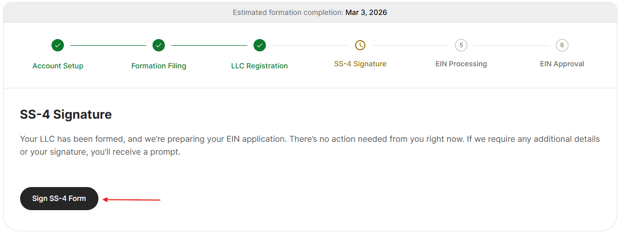
- Access your account on the doola dashboard you should have an action item right on the homepage indicating that you need to sign some forms. Click through the flow to complete it.
-
Review the Email Notification:
- If you received an email indicating that you still have forms to sign - follow the link and it will take you to the doola dashboard
-
Sign the Form:
- Once you have the SS-4 form, review it carefully. Sign the document with your real name as required.
-
Click Submit/Finish:
- It's important that you finish the flow by reaching the end and hitting Submit or Finish.
Conclusion
Signing your SS-4 form is a crucial step in obtaining your EIN application. By following the outlined steps, you can ensure that your application progresses smoothly. If you have any questions or need assistance, do not hesitate to contact customer support for help.